
Plex and Jellyfin set the bar for a home library. Your films live on one machine, and every screen in the house can play them. I wanted the same for books, with calibre underneath. With 0.5, calibre-zen gets there.
Where it started
calibre could always share a library over the network. From the desktop app, though, sharing lasted only as long as the window stayed open. Close calibre and the books went with it.
So 0.4 was about running calibre with no window. The library can now live on a home server with Docker, or keep sharing from the menubar or the tray after you close the app. That was the server half of the idea.
The missing half
The browser side was still calibre’s own web app. It worked, but it had calibre’s look, not the calm one the desktop app has now. People who wanted a modern web library went to Calibre-Web Automated or BookOrbit, and that made sense.
A new web app had been on my backlog for a long time. It was the piece that would make calibre-zen a home server people actually enjoy using. This release is that piece, and I’m really happy to have it done.
Before and after
Before, opening the server’s address showed calibre’s web app. calibre writes it in RapydScript, a Python-like language that compiles to JavaScript, and its reader is the same code as the desktop reader. It does a lot, but it is calibre’s design, and it was the one part of calibre-zen still in the old look.
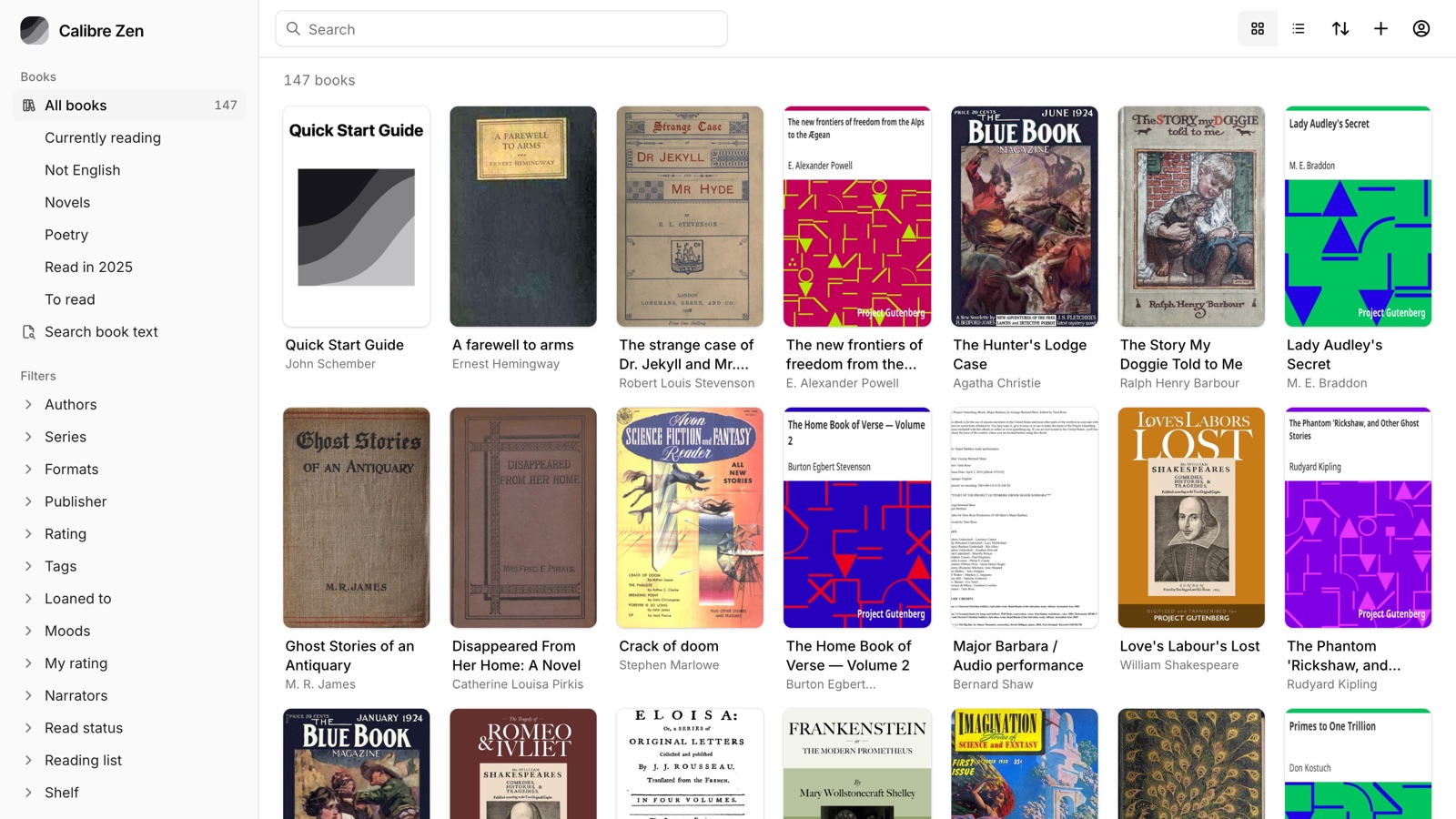
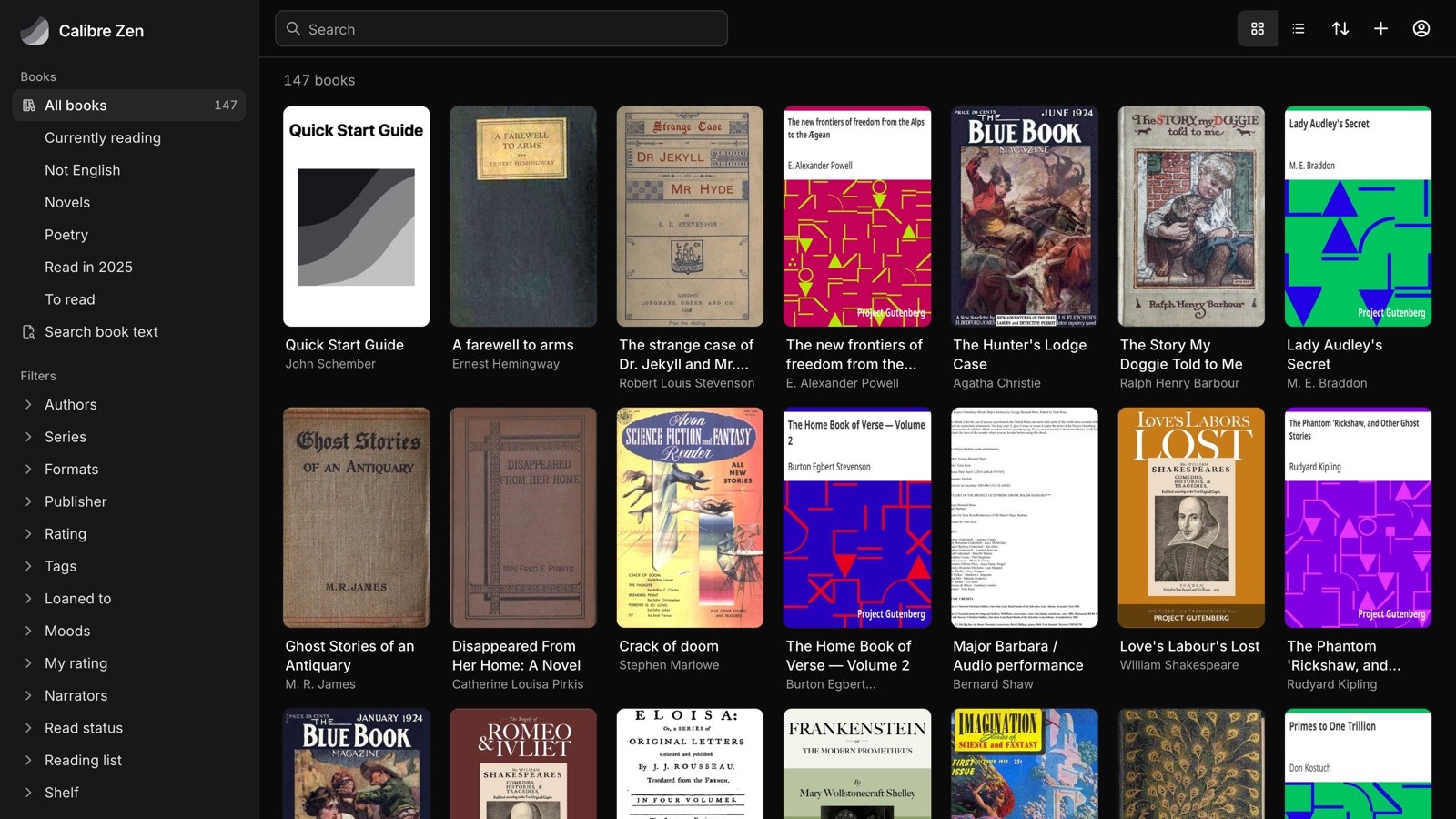
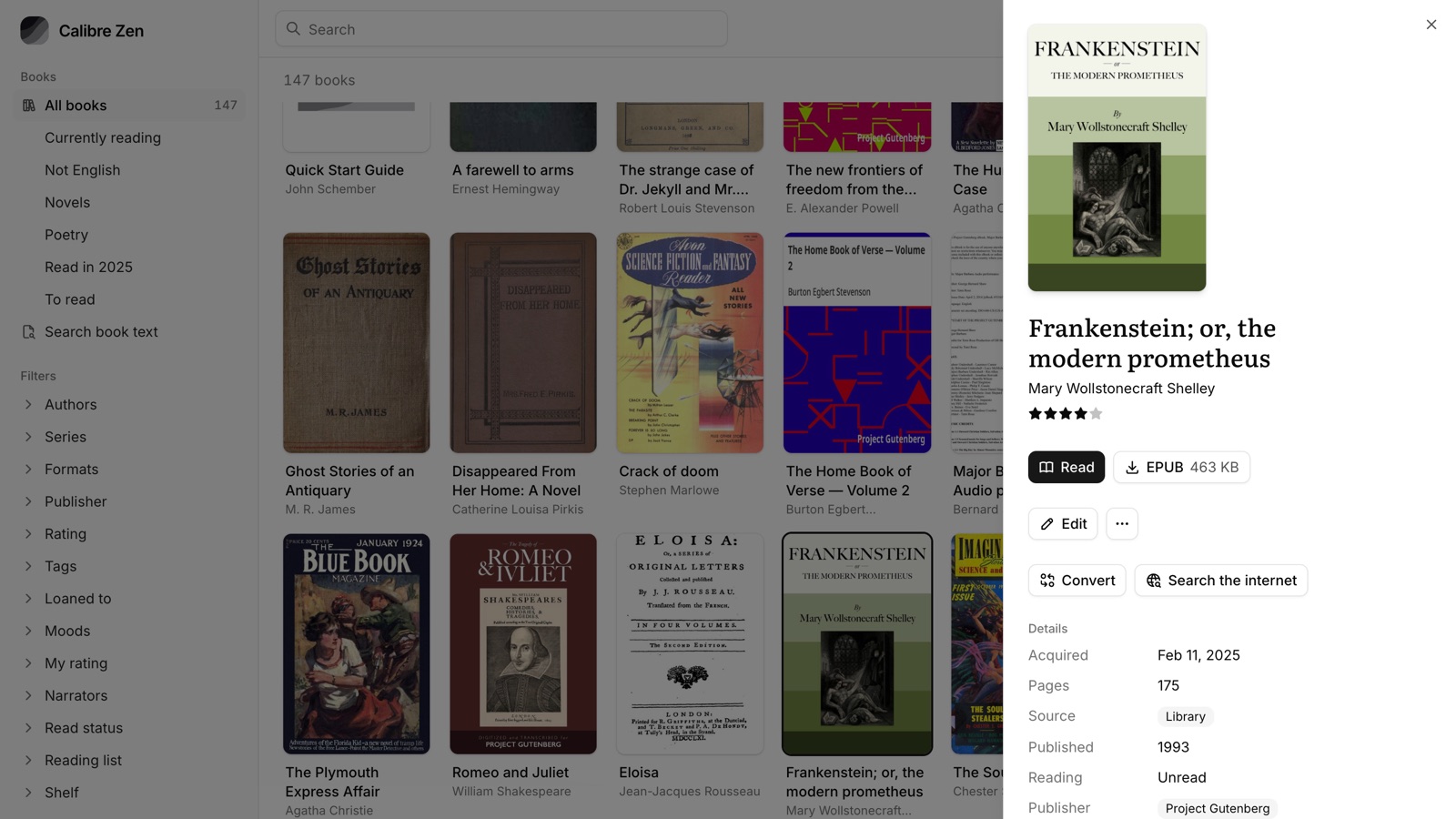
Now the same address opens a new app, in the same look as the desktop. calibre’s server still does the work. The new app is a set of files the server sends from /app/, and it reads the same data calibre’s own app reads. Your library never changes shape, and calibre’s app is one click away in the menu.
The new app is built with Astro, React and shadcn/ui, common tools for web apps today. It ships as plain files inside calibre-zen, so nothing extra runs on the server. A few things came easier this way.
- It installs like an app. On a phone, add it to the home screen and it opens on its own, with no app store. This is what makes it a PWA, a progressive web app.
- It opens with no connection. A service worker keeps the app’s files, and the library list and covers are saved on the device. Books you open are kept by calibre’s reader, so they open on a plane too.
- Big libraries stay quick. Only the rows on screen are loaded, 100 books at a time.
- Every view is a link. The search, filters, sort and open book all live in the address bar, so Back works and a link brings you to the same view.
- The colours match the desktop. Both read the same colour schemes, so light, dim and dark look the same in the window and the browser.
Reading stays with calibre’s own reader in the browser. It already does a great job, so it gets the desktop reader’s look and icons instead of a rewrite.
Running it
There are two ways, and both serve the same app. On a Mac or a PC, turn on sharing and close the window, and the library stays shared from the menubar or the tray. On a home server, one Docker command starts it, with a login and a folder that adds new books for you.
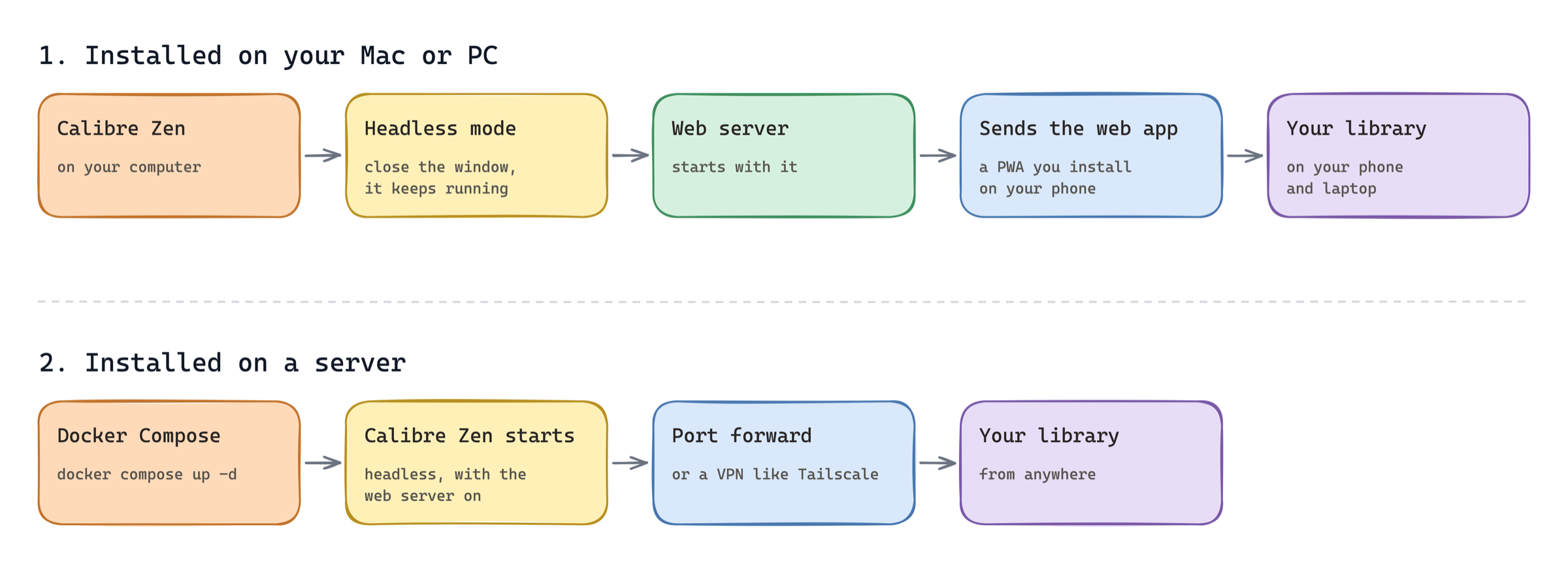
Run it on a home server has the command, and Share with the window closed covers the desktop.
Where it stands
With the web app in place, calibre-zen now holds its own next to Calibre-Web Automated and BookOrbit. You can browse, read, edit and install it on a phone. Underneath it is still calibre, so every plugin, every conversion and the desktop app come along.
Those two still lead in places, like Kobo sync, audiobooks and a native iPhone app. How it compares goes through each one.
calibre 9.18 underneath
This release also moves to calibre 9.18. It brings natural voices for Read aloud, reading progress that syncs with KOReader through your server, and search inside the current chapter. Big libraries are faster, and converting PDF, EPUB and DOCX has many fixes.
What’s next
Two things calibre struggles with are next on my list. One is libraries on network drives. The other is running more than one copy of calibre at a time.
If you have calibre-zen already, the update window offers 0.5. On Docker, docker compose pull && docker compose up -d brings in the new image. I’d love to hear how it goes, on GitHub or r/CalibreZen.